INDUSTRY:

Recycling

Focus

Encourage plastic recycling

YEAR:

2025

EXPERIENCE:

UX/UI design

Read time

5 min
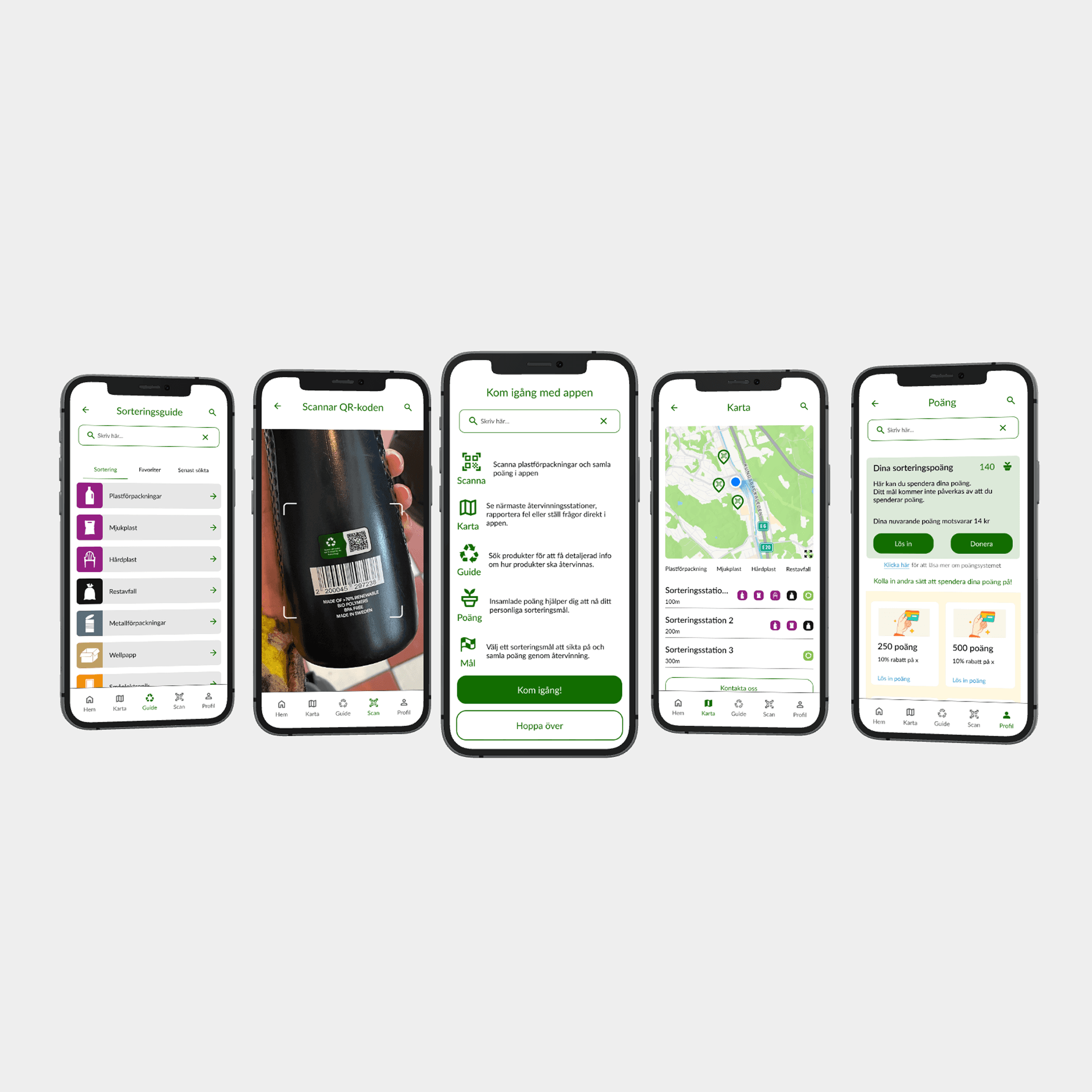
First project, five phones showcasing, sort guide, scan function, onboarding steps, map and point system.

ReGo

The future of recycling.
about.

The beginning of a new era

We set out to make an impact in the recycling industry by addressing key challenges in waste sorting. Through our research, including a workshop and a site visit to Renova recycling, we discovered that plastic is often sorted incorrectly and in far too small amount. That´s why we created ReGo, an app designed to change the way we encourage plastic recycling.
Five smartphone screens displaying a recycling app. The screens show a sorting guide with waste categories, a QR code scanner for product recycling info, onboarding instructions, a map with nearby recycling stations, and a point system for tracking and redeeming recycling rewards.
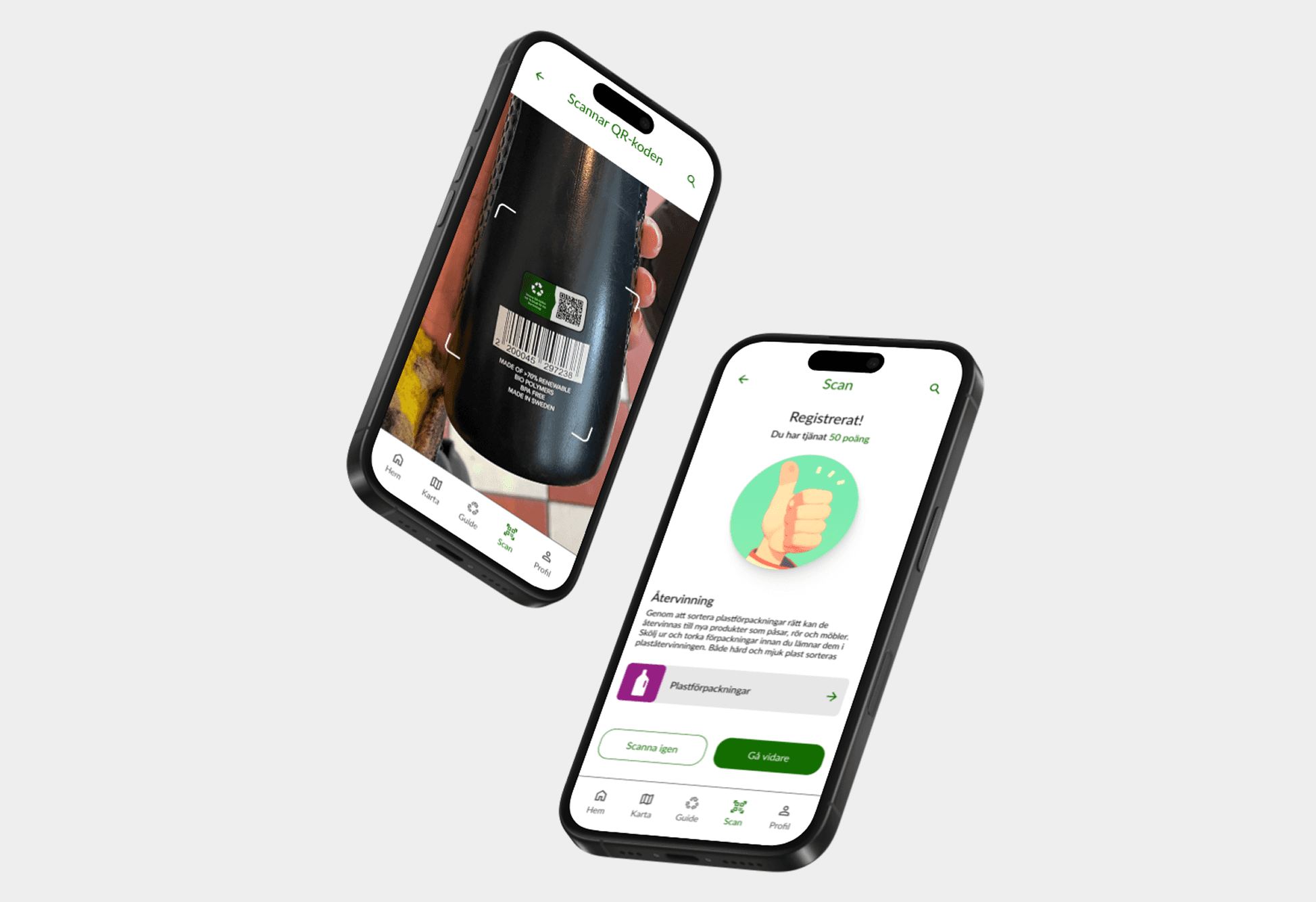
Two smartphones showing a scan feature. The first phone scans a QR code, while the second phone displays earned points.
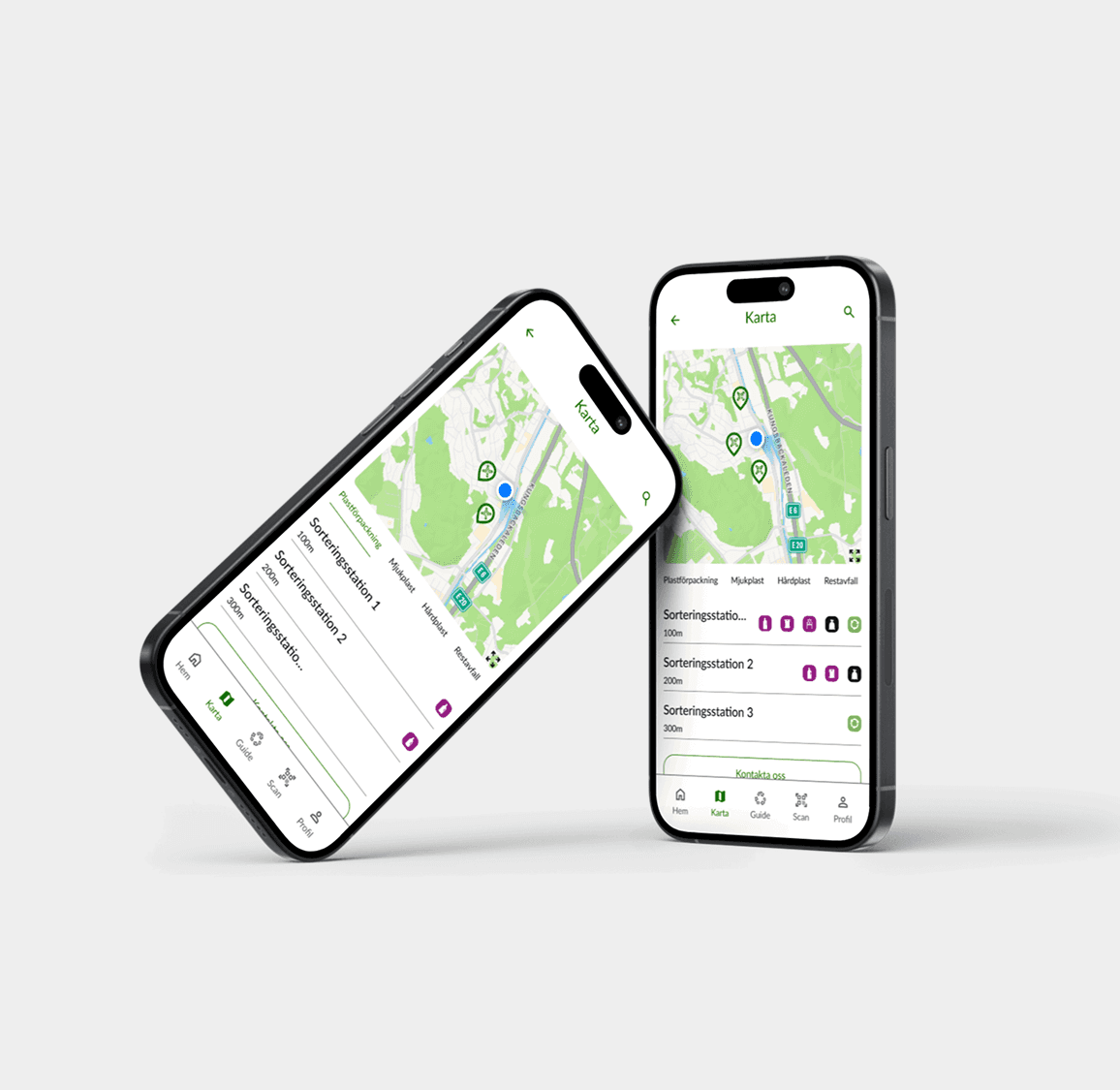
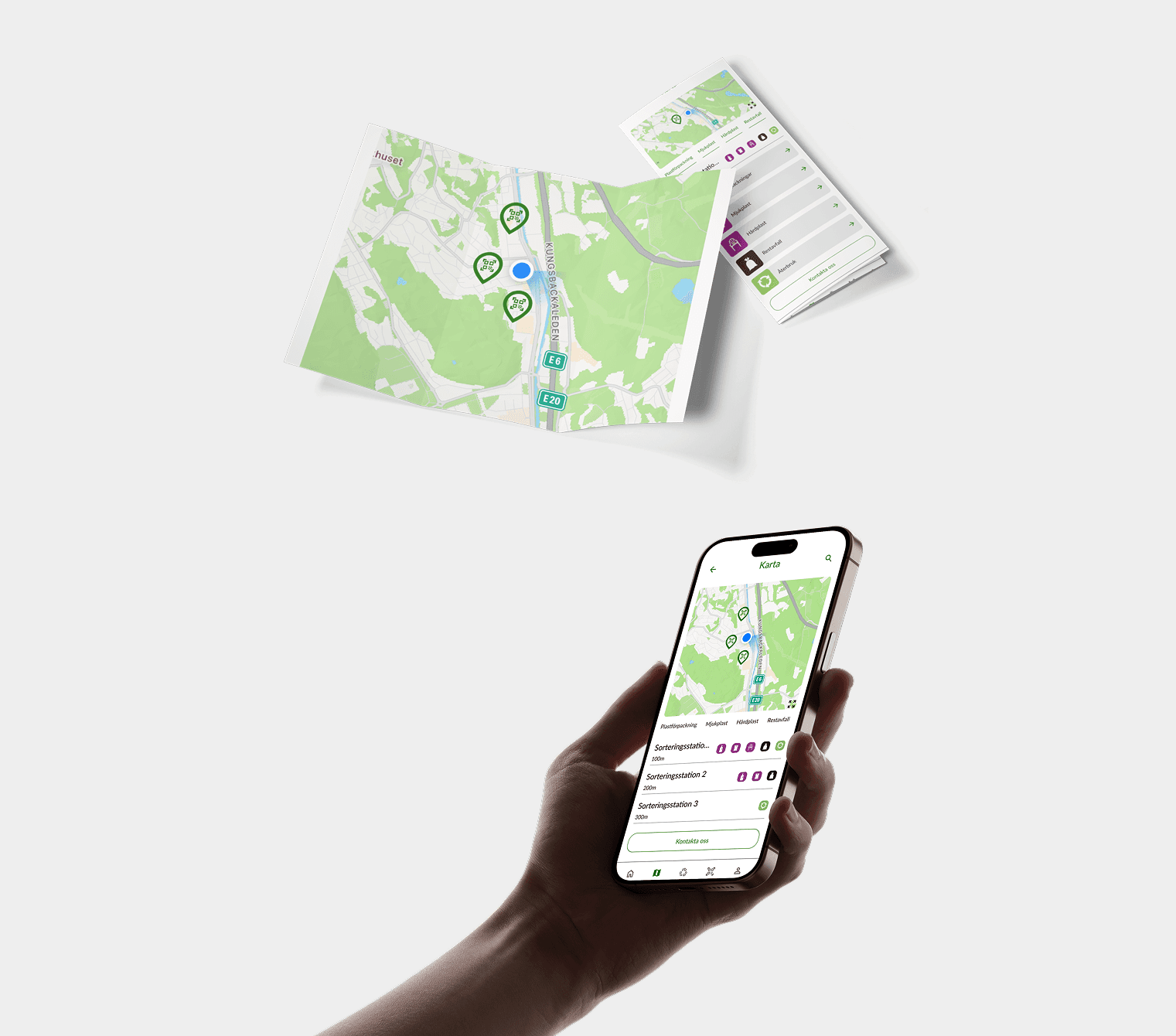
A smartphone, held in a hand, displays the same map with location markers and a list of sorting stations, suggesting an interactive navigation or waste management app.

Skip to result

challenge.

How can we change people’s mindset about recycling and make it a consistent habit?

We needed to create a solution that made recycling easier, more accessible, and rewarding, while also motivating people to take consistent action. Our goal was to bridge the gap between awareness and practice, making recycling not only intuitive but also enjoyable.

But before we could design an effective solution, we needed to understand the factors that prevented people from recycling.

Learning: The impact of effective agile teamwork.
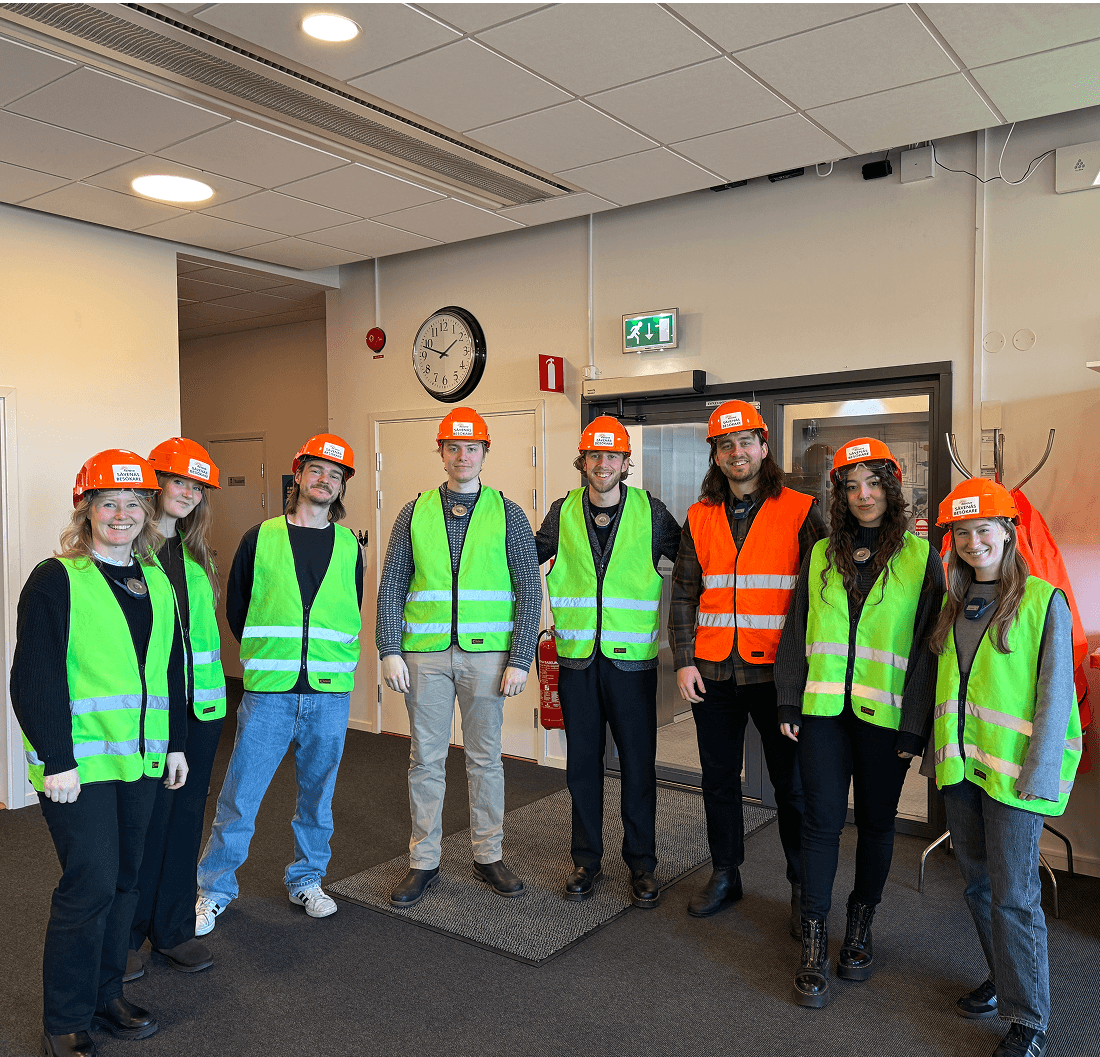
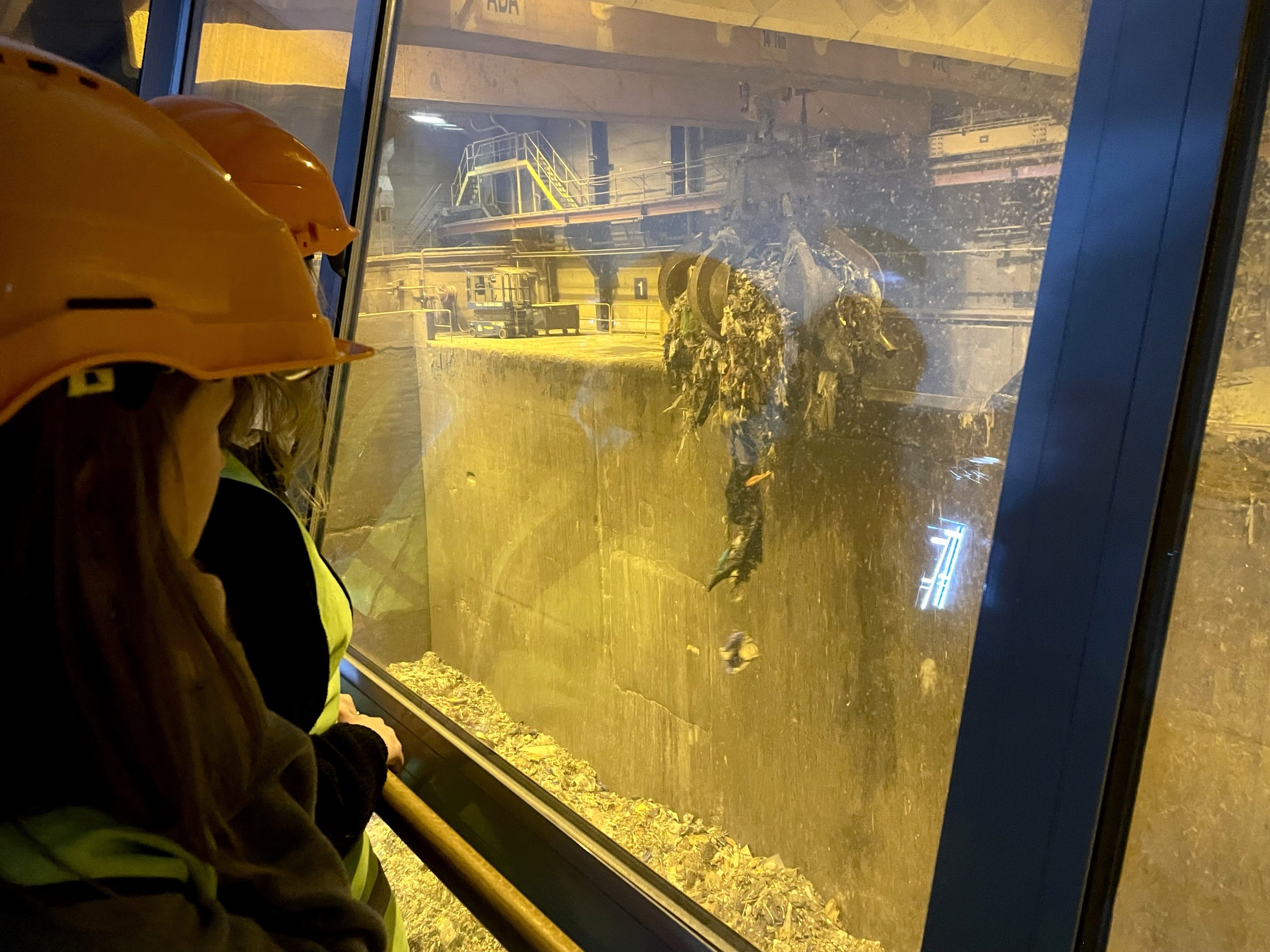
Group members wearing reflective vests, taken from the site visit at renova recycling.
Claw picking up trash at renova recycling.
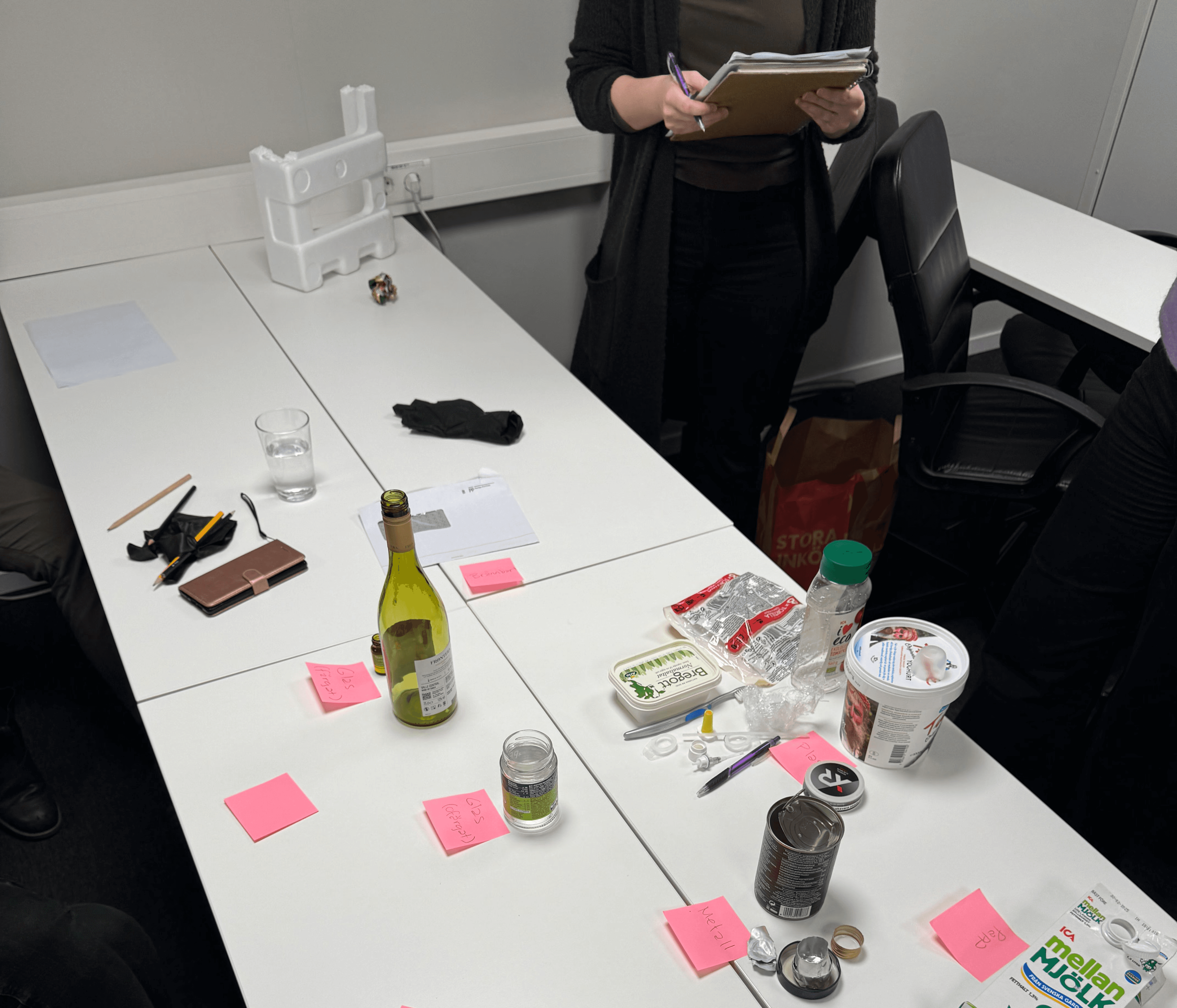
A recycling workshop in progress. A group is testing their ability to sort various waste items, including bottles, cans, plastic, and packaging, onto a table with labeled sticky notes. A facilitator is taking notes while participants engage in the sorting exercise.
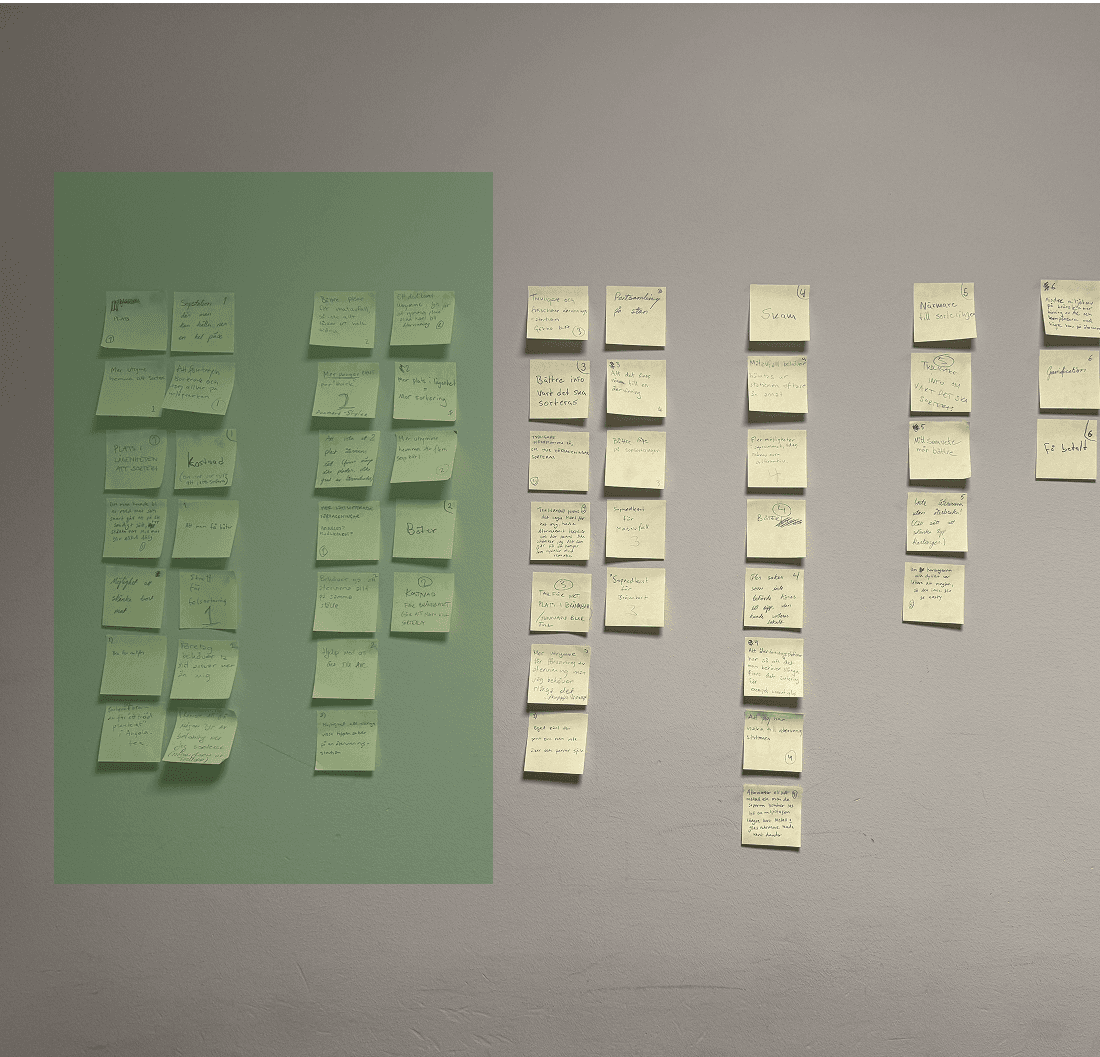
Post-its on a wall, one section is marked in green which indicates key insights.
key takes.

What were the actual obstacles people faced when it came to recycling?

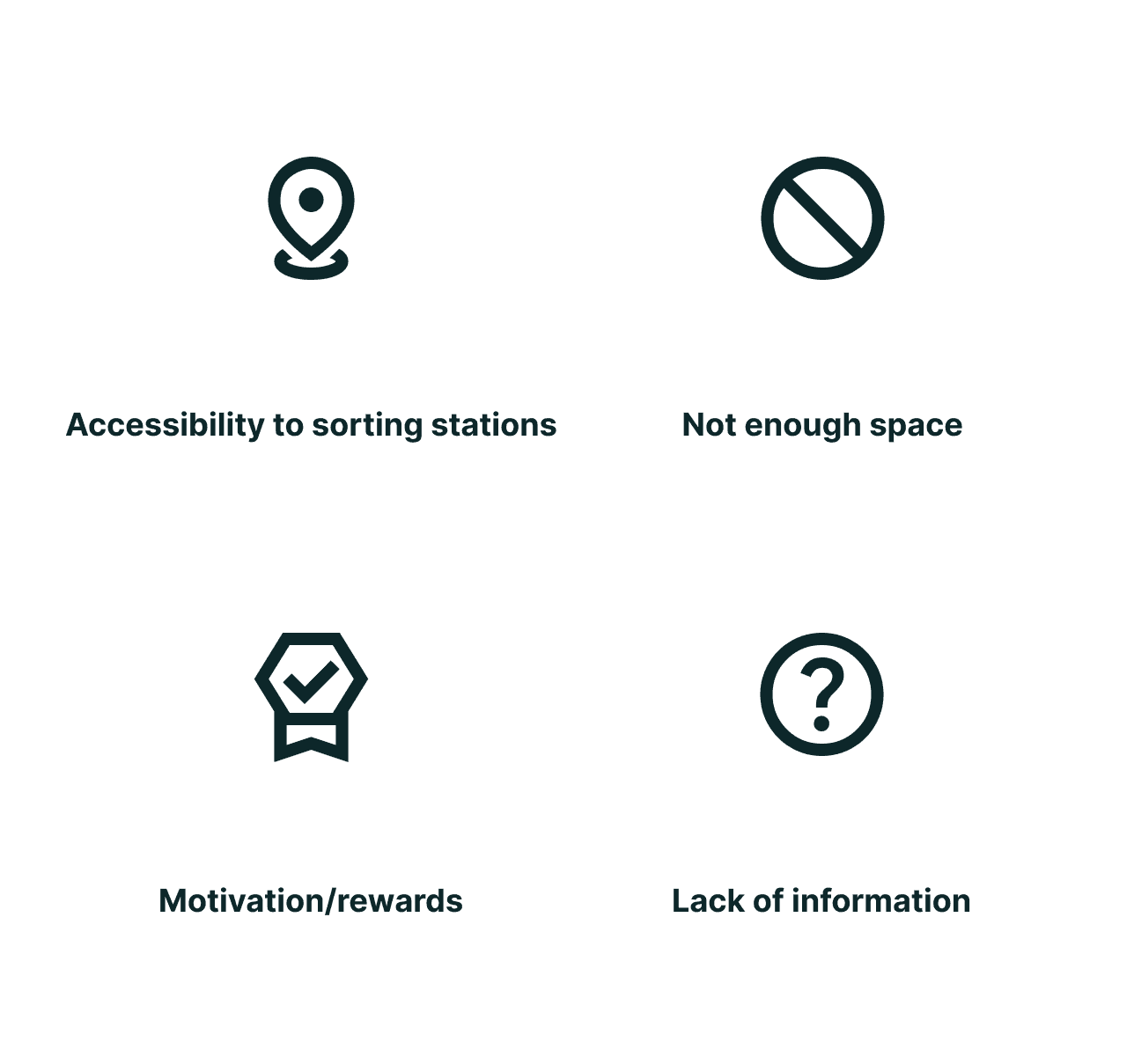
Through our research, we identified several key obstacles: limited access to sorting stations, lack of space at home, the need for incentives, and a general lack of knowledge about what can and cannot be recycled.

These pain points were crucial to address in our design process.
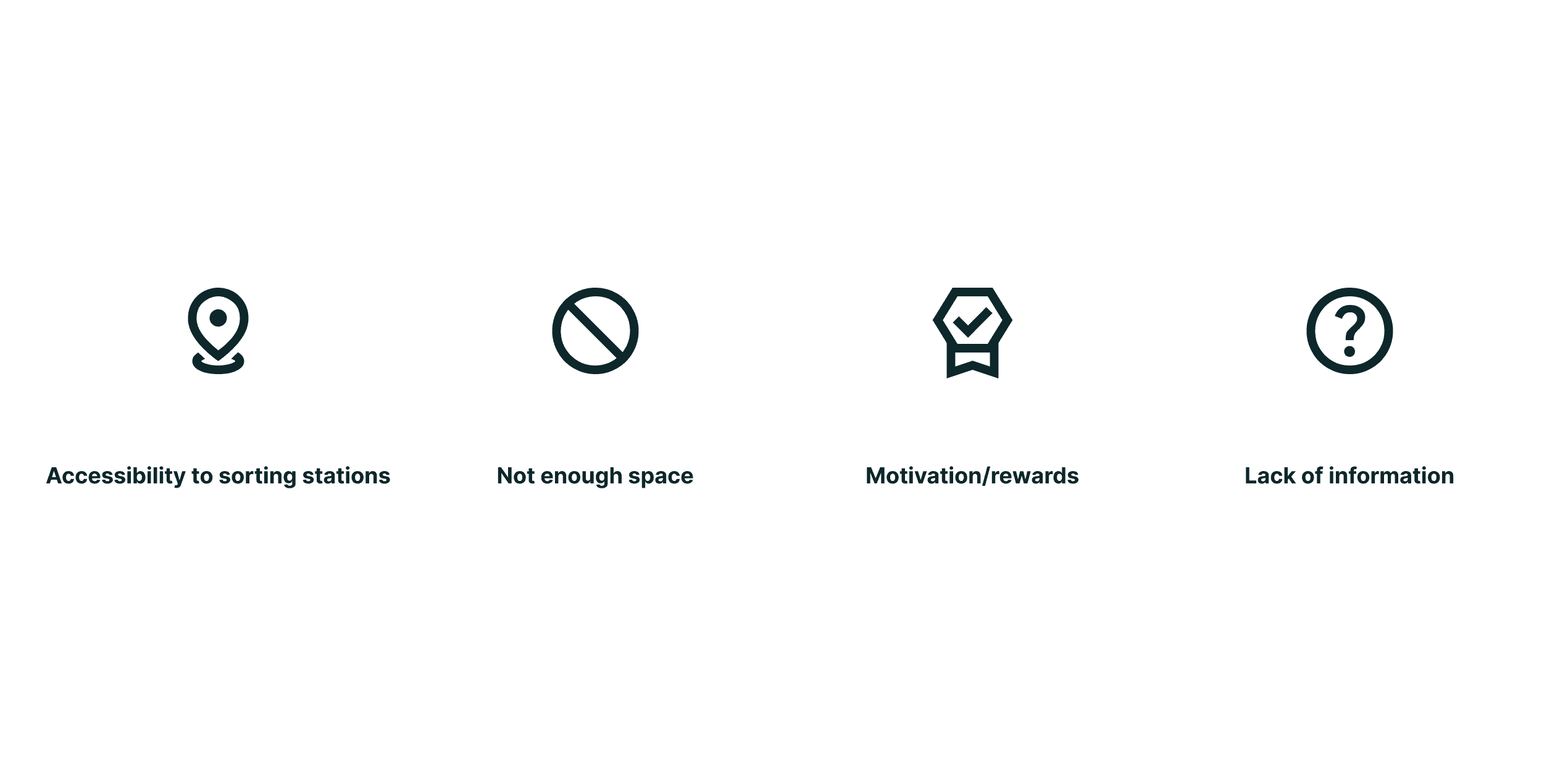
The main four key takes, accessibility to sorting stations, not enough space, motivation/rewards, lack of information.
design.

How could we turn these key insights into actionable designs that truly address users' needs?

As the team split into a smaller group of five, we began brainstorming ideas, using techniques like Crazy-8, and mapping out user flows to better understand the essential features needed. We then moved on to wireframing, which allowed us to visualize the app’s structure and refine the user experience. With this foundation in place, we developed a design system to ensure consistency and accessibility across the app. This system became the backbone of ReGo.

Learning: It takes time to create a design system, but it's a key factor for a consistent, accessible, and scalable design.

Team: Lukas, Tamiko, Frida, Ambjörn, and Nathalie.
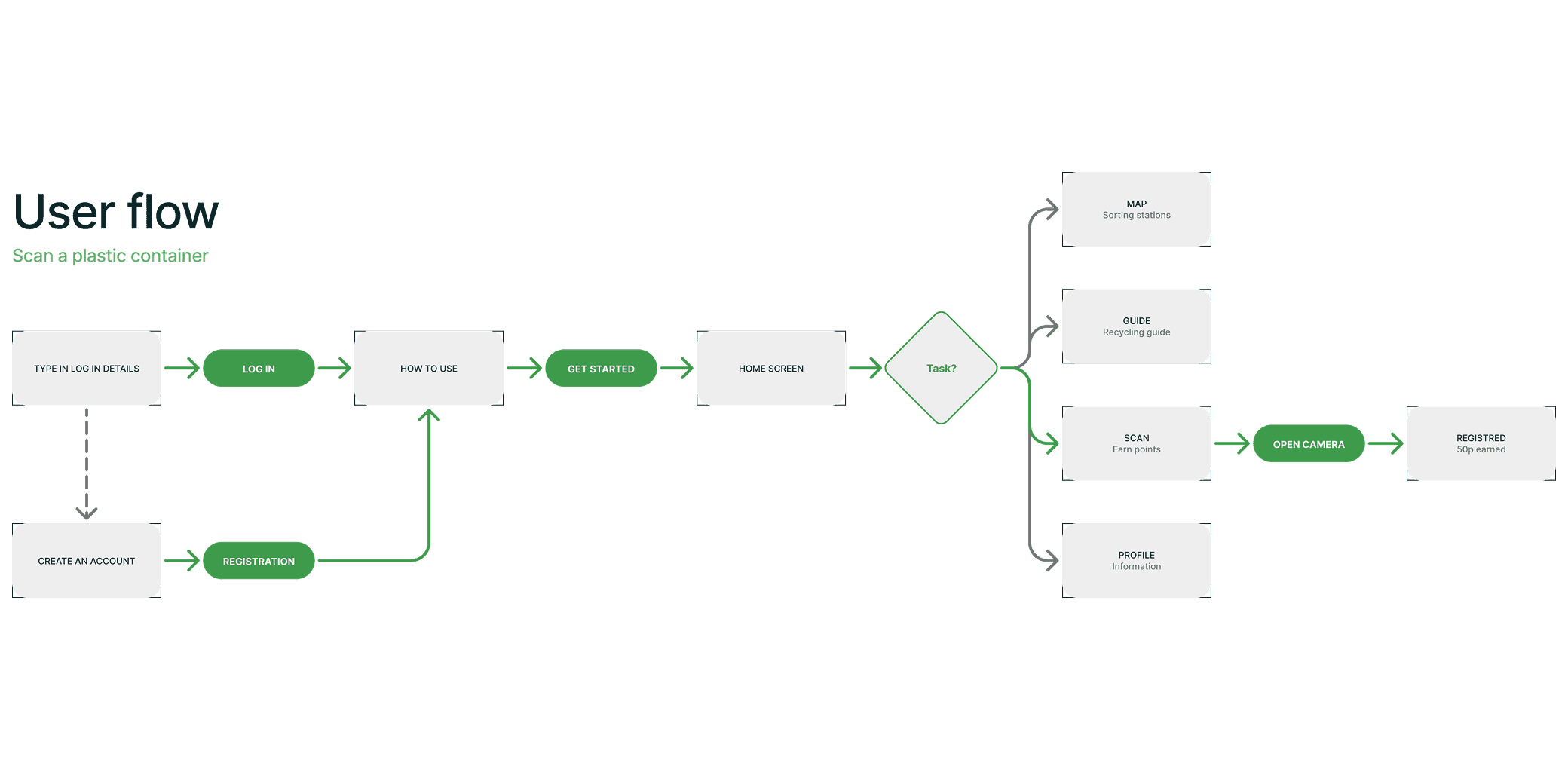
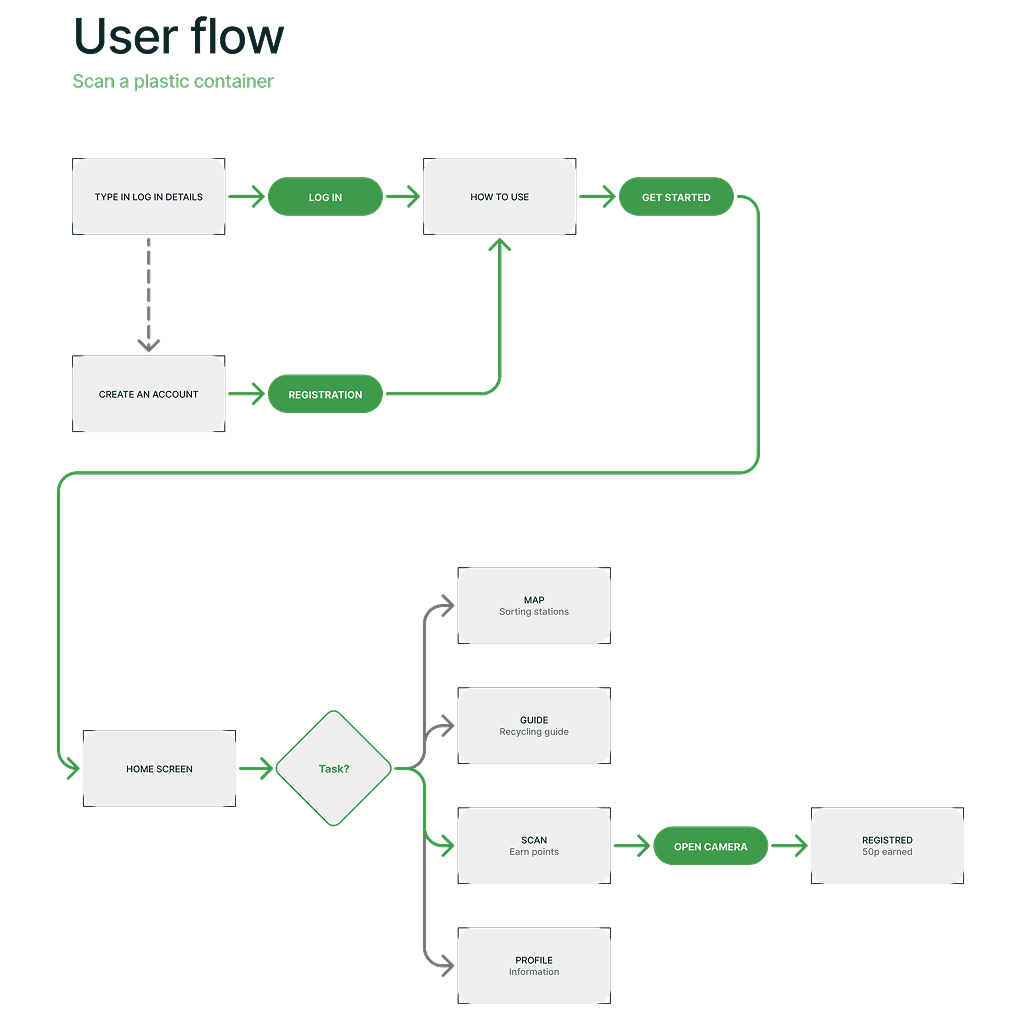
A user flow diagram for scanning a plastic container in a recycling app. It outlines steps from logging in or registering, reaching the home screen, selecting a task, and opening the camera to scan. Successfully scanning earns 50 points. Other options include viewing a map, recycling guide, or profile.
Lukas wearing a white beanie and brown sweater, is writing on a whiteboard with a red marker. The whiteboard contains a rough wireframe sketch for a digital interface, including labeled elements such as icon, map and button
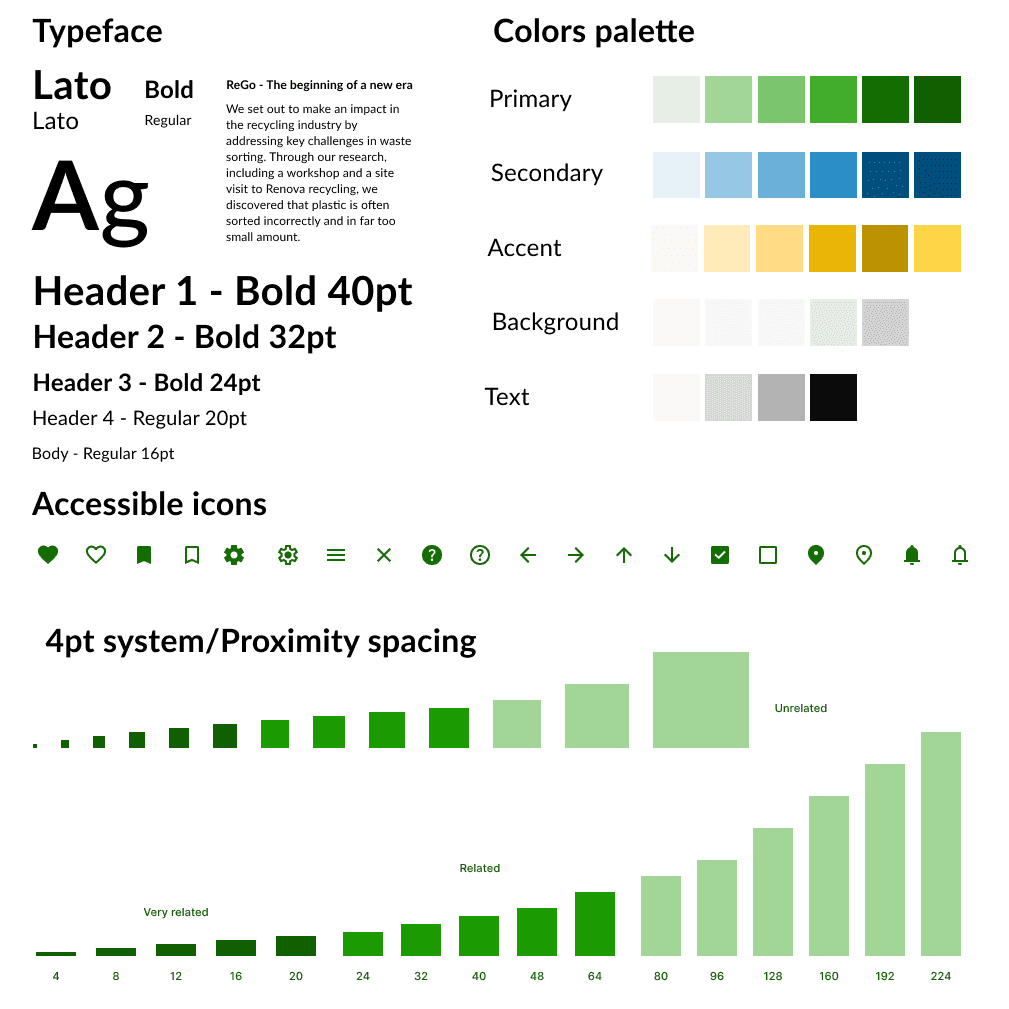
Design style guide for the ReGo project, showcasing typography (Lato in bold and regular), a structured color palette with greens, blues, and yellows, accessible icons, and a 4pt proximity spacing system for UI elements. Includes various font sizes for headers and body text, ensuring visual consistency and accessibility.
result.

So what did we end up with?

ReGo was designed with the user in mind, featuring a seamless and engaging experience. Key features include:

  • Onboarding: A clear, step-by-step guide to help new users get started easily.

  • QR Code Scanning: Users earn rewards like cashback, donations, or discounts by scanning QR codes on plastic containers.

  • Map of Sorting Stations: Find nearby recycling stations and see what can be recycled at each.

  • Recycling Guide: A helpful resource for users who are unsure of what to sort.

  • Tips & Tricks: Simple advice to make recycling more efficient.

  • Sorting Station Reports: Users can report full or inaccessible stations to improve accessibility.

We concluded by showcasing our product at a vernissage held at IUS Innovation, where we received highly positive feedback. Many expressed interest in seeing our vision become a reality.

Through ReGo, we created a comprehensive solution that not only encourages recycling but also makes it easier, more rewarding, and accessible to everyone.
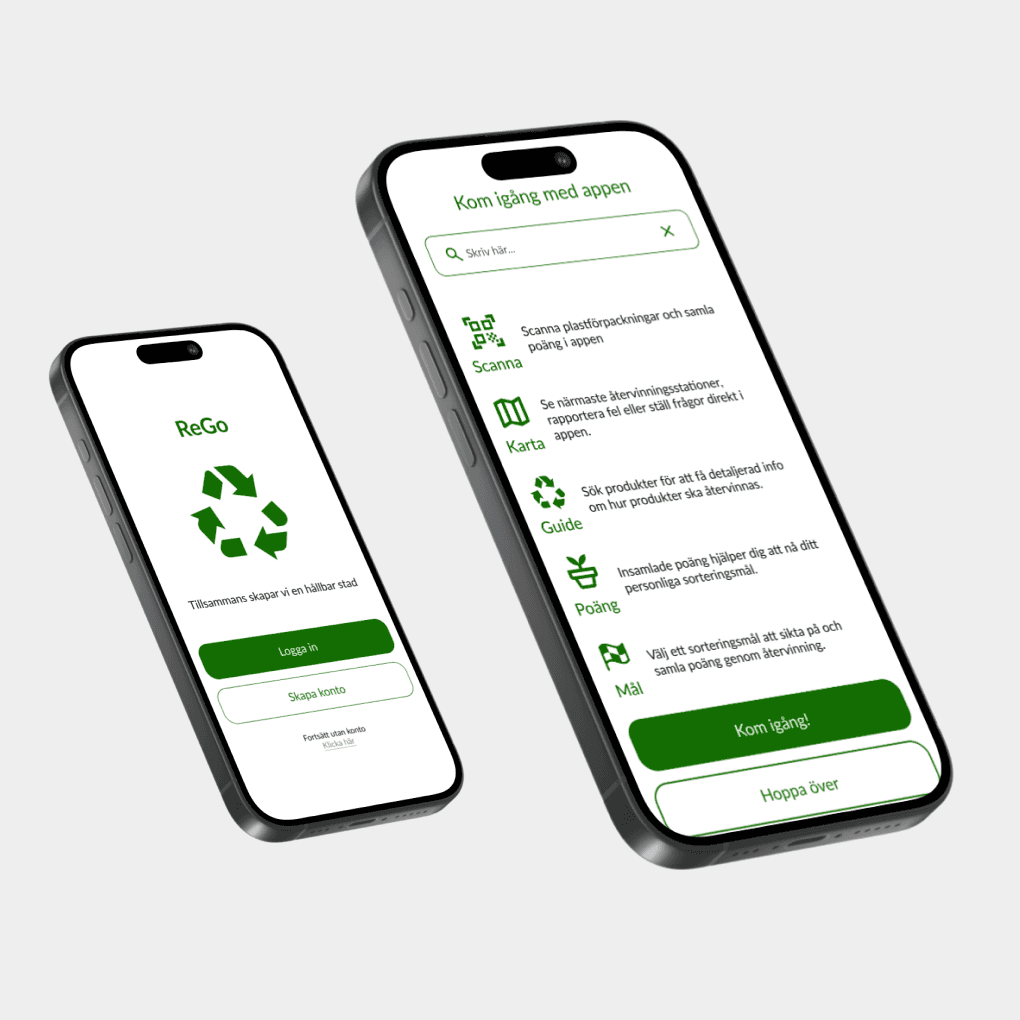
Two smartphones displaying the ReGo recycling app. The left screen shows the login and account creation page with a green recycling logo. The right screen displays an onboarding page with icons and descriptions for features like scanning, map, recycling guide, points, and goals.
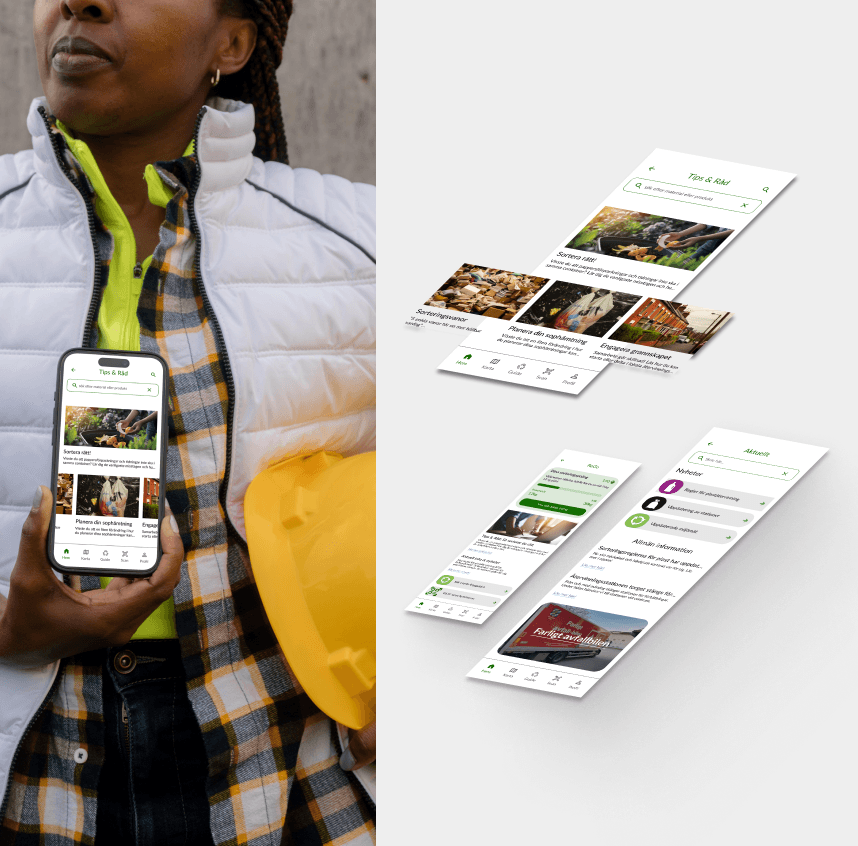
A person in a white vest and plaid shirt holding a smartphone displaying a sustainability app with tips and guides. To the right, multiple screens of the app are showcased, highlighting different sections such as recycling tips, reuse services, and community initiatives.
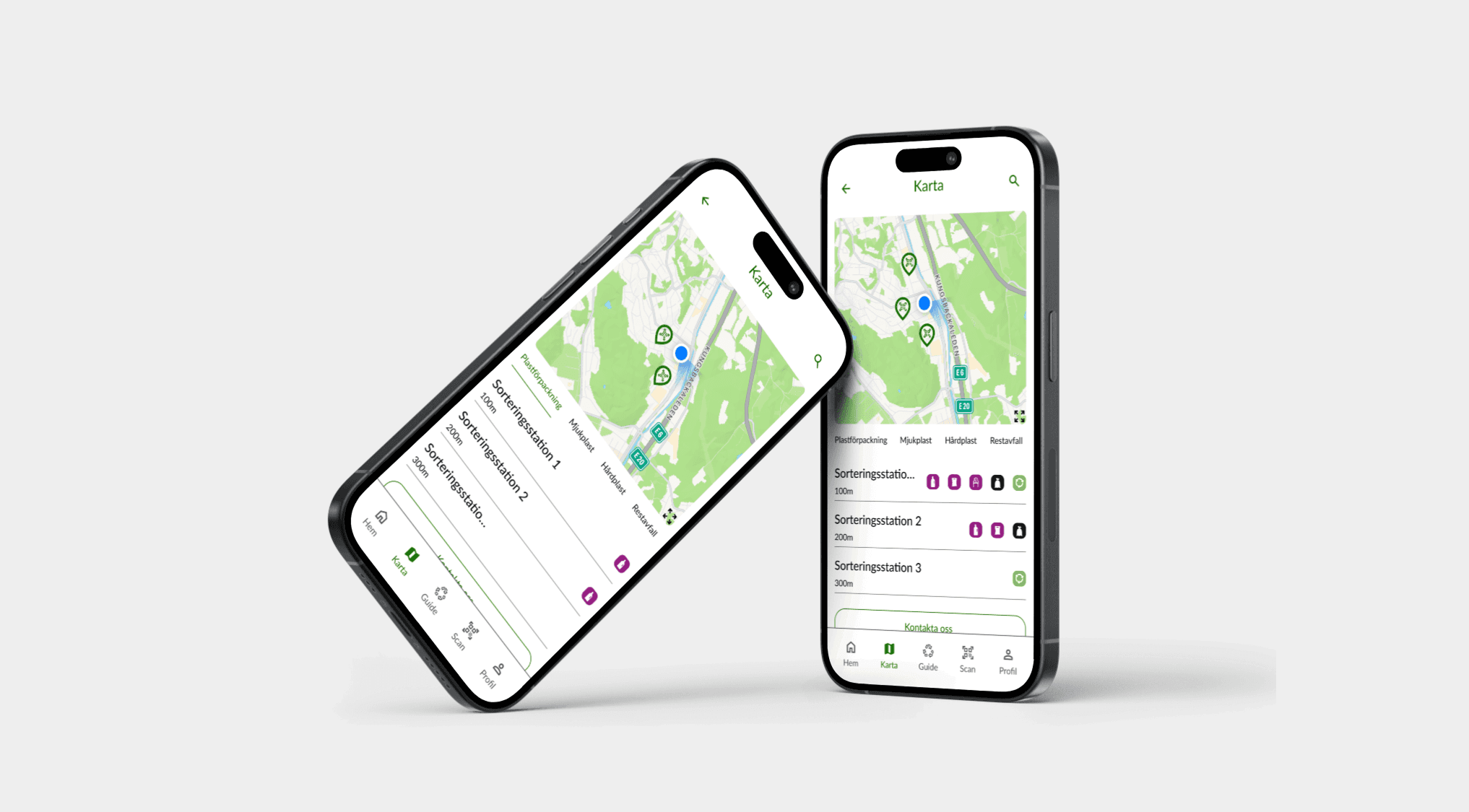
Two smartphones displaying a recycling app's map feature, showing nearby sorting stations with icons indicating waste categories. The interface provides location details and sorting options for plastic, metal, and other materials.
Two smartphones showing a scan feature. The first phone scans a QR code, while the second phone displays earned points.
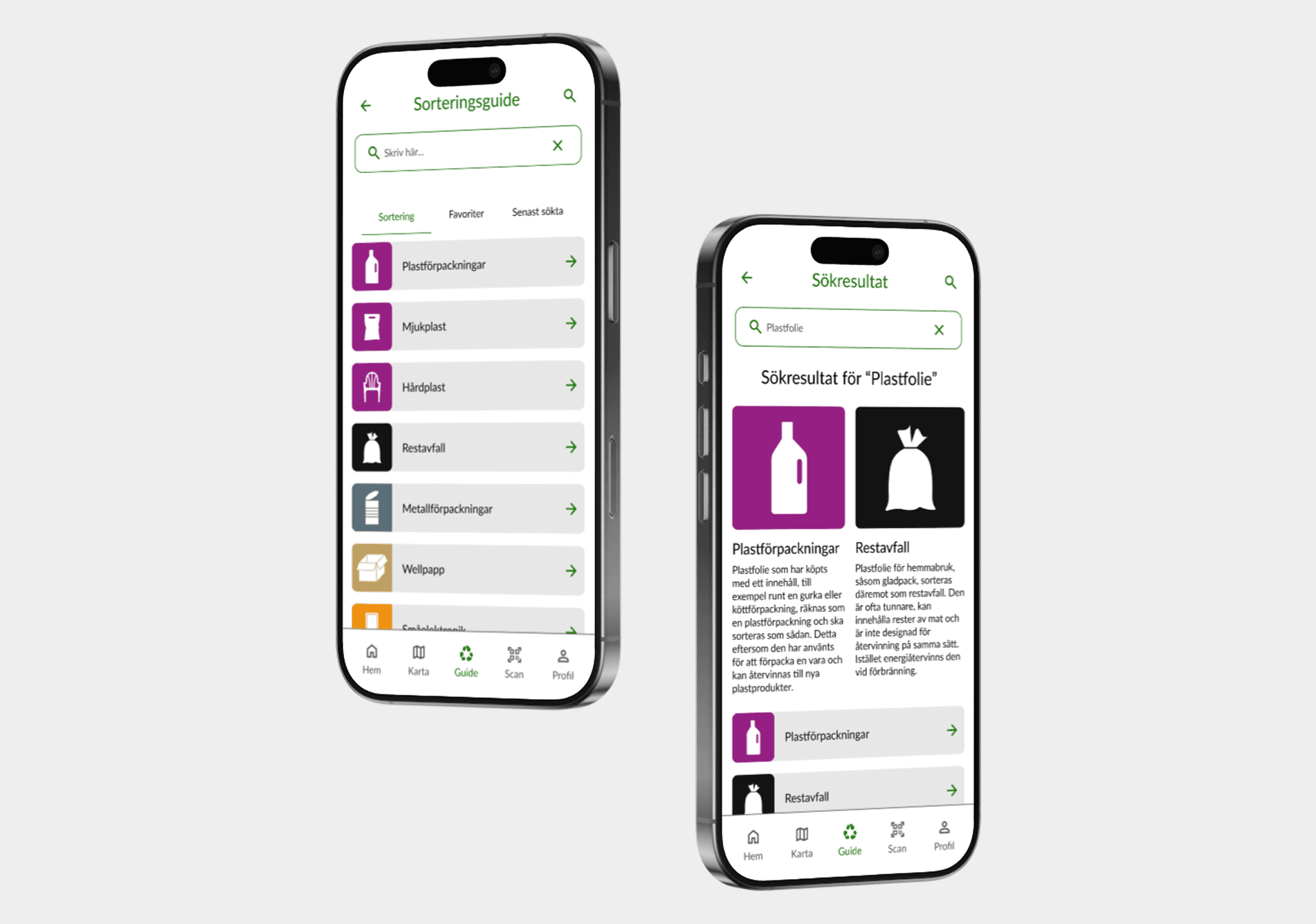
Two smartphones displaying a recycling guide in a sorting app. The left screen shows a categorized list of materials like plastic, metal, and paper, while the right screen presents search results for 'Plastic Film,' detailing whether it should be sorted as plastic packaging or residual waste.
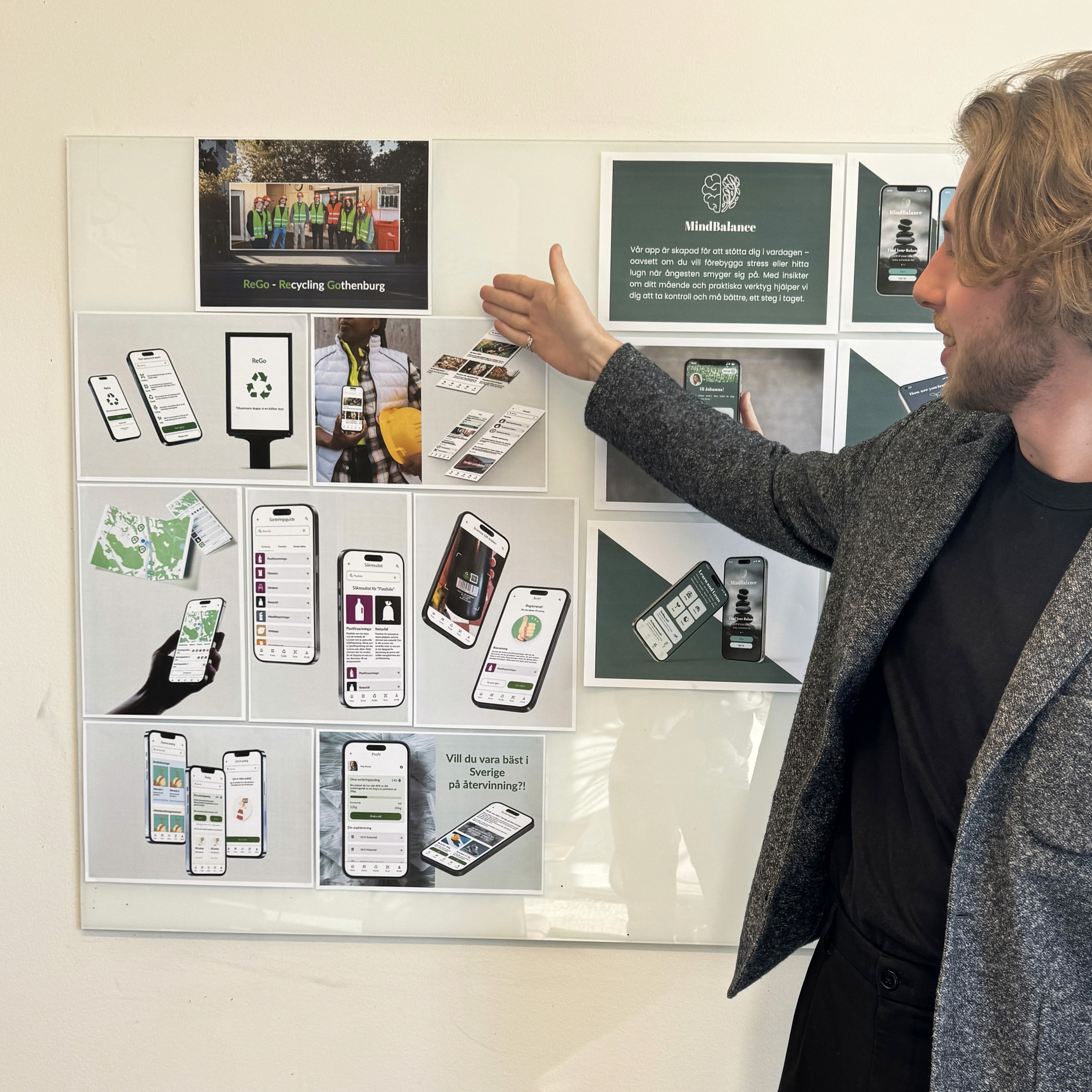
At our vernissage, Lukas in a dark gray blazer pointing to a presentation board showcasing the 'ReGo' app. The board features various mobile UI mockups highlighting the app’s recycling and sorting features.

Back to top

Curious about what we can create together?
Let’s bring something extraordinary to life!

Available For LIA

+46 (0)72 155 27 64

Lukas.Lindbergg@gmail.com

UX design student

Lukas Lindberg

Designing with

people in mind

Curious about what we can create together?
Let’s bring something extraordinary to life!

Available For LIA

+46 (0)72 155 27 64

Lukas.Lindbergg@gmail.com

UX design student

Lukas Lindberg

Designing with

people in mind

Curious about what we can create together?
Let’s bring something extraordinary to life!

Available For LIA

+46 (0)72 155 27 64

Lukas.Lindbergg@gmail.com

UX design student

Lukas Lindberg

Designing with people in mind

Create a free website with Framer, the website builder loved by startups, designers and agencies.